Switch Branch - Working on doc/introduction Branch
我們先把目標移動到 doc/introduction 上
$ git switch doc/introduction
這時候用 git branch 就會看到
$ git branch
* doc/introduction
  main
這時候 git graph 像這樣:
接下來我們來編輯它,一樣用寫入的指令:
$ echo "## Introduction" >> README.md
我們來看看現在 repository 的情況:
$ git status
On branch doc/introduction
Changes not staged for commit:
  (use "git add <file>..." to update what will be committed)
  (use "git restore <file>..." to discard changes in working directory)
        modified:   README.md

no changes added to commit (use "git add" and/or "git commit -a")
可以看到我們有一個沒有 staged 或 commit 的 changes。
剛剛沒有提到,我們其實有一個很方便的工具可以瀏覽我們的變更,也就是 git diff:
$ git diff
diff --git a/README.md b/README.md
index fffba55..05c2fe1 100644
--- a/README.md
+++ b/README.md
@@ -1 +1,2 @@
 # DBMS TA Session Git Example
+## Introduction
這樣就可以看到我們的變更。我推薦各位一個 command line app delta。
安裝完畢設定完後會看起來像這樣(以下取自 README.md in the project repo):
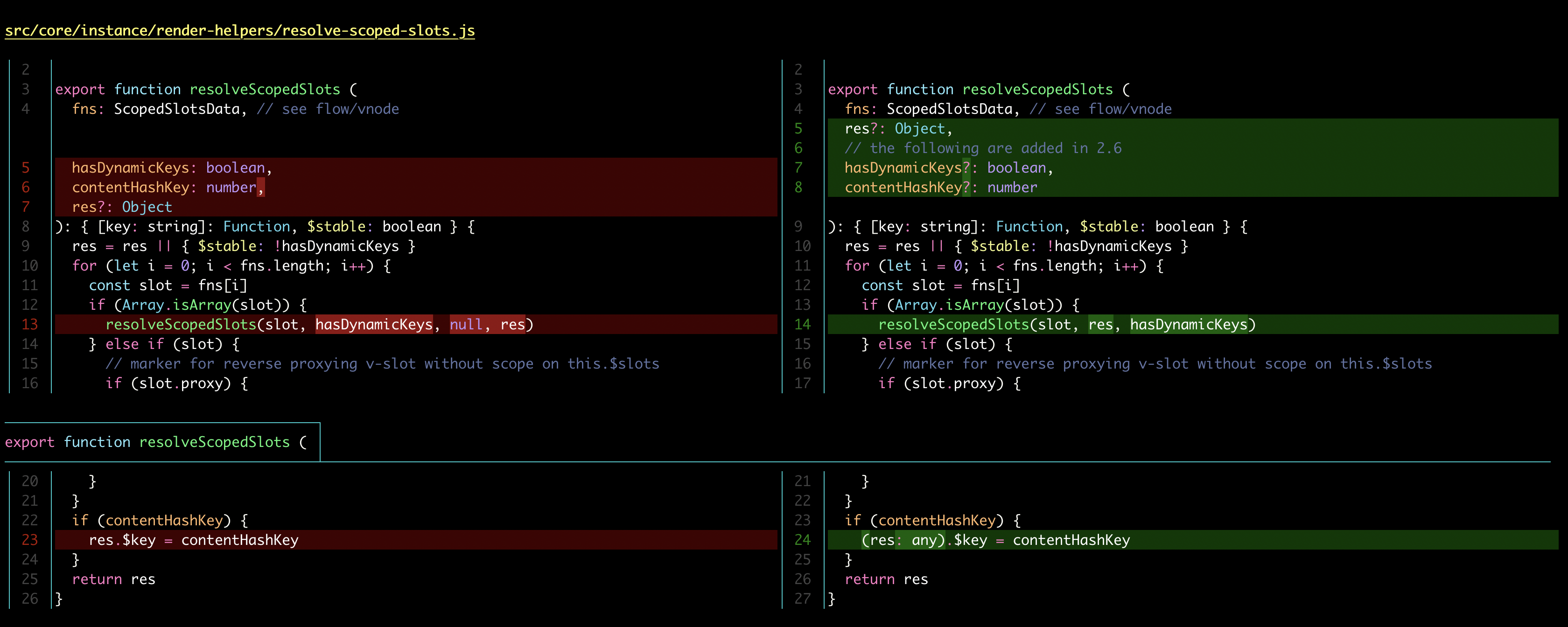
非常美麗且直觀,是我的愛用工具之一。
Practice
試著 commit 它吧! 這是第二次自己 commit 了,相信會變得很熟悉的!
來展示一下為什麼我說在 branch 上工作是獨立的。
我們先來看看 doc/introduction 的 log 吧:
$ git log --oneline
98ad8b1 (HEAD -> doc/introduction) Add: Introduction section
436b67d (main) First Commit
Practice
切換到 main branch 吧!
接著是 main branch 的 log:
$ git log --oneline
436b67d (HEAD -> main) First Commit
可以看到 main branch 上並沒有 98ad8b1 這個編號的 commit。
這時候 git graph 像這樣: